Kinetic / Launch video examples
A product launch trailer made in Kinetic.
Watch the finished film, then inspect the source image, editable scene plan and original exports. One project, rendered in landscape and vertical formats.
What went into this launch video?
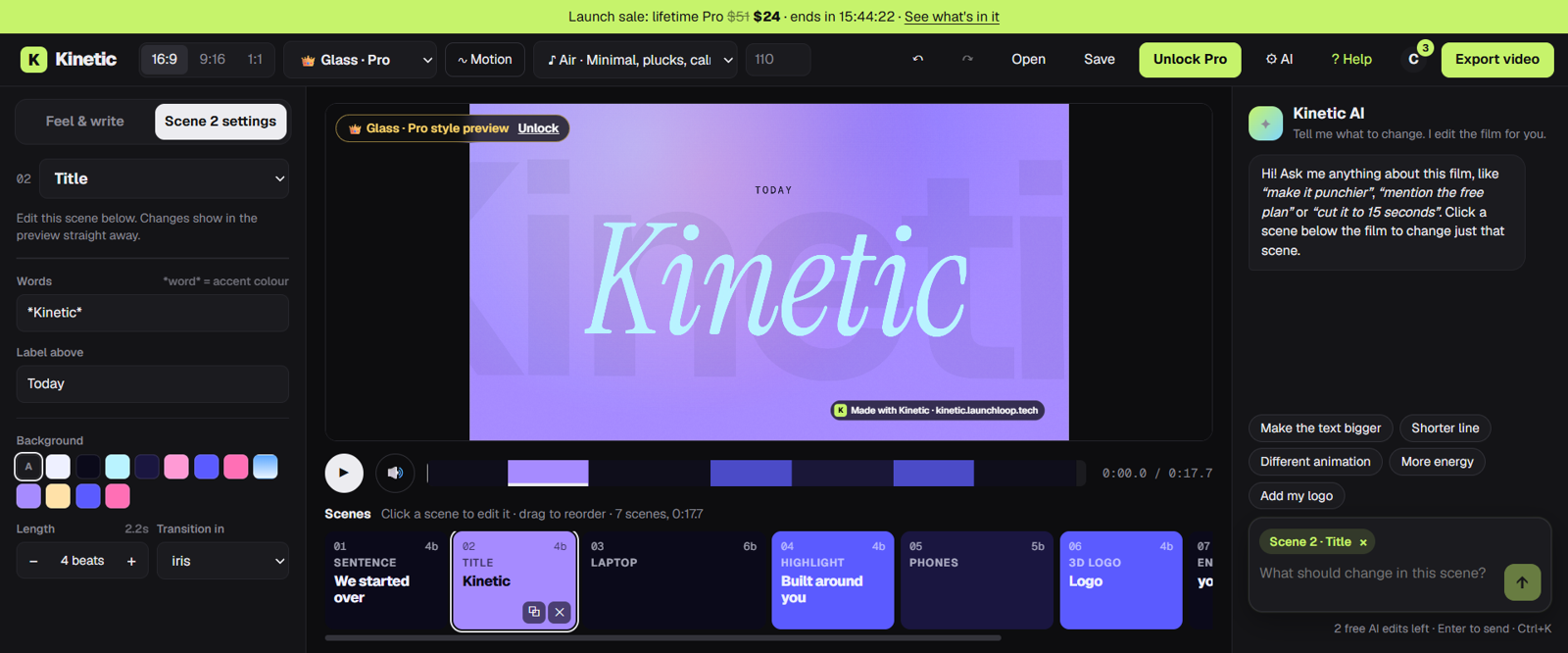
This is an authored demonstration of our own product. We wrote the five-scene sequence and supplied a real screenshot of the browser editor in a local demo session. It is not a customer case study or an unedited one-prompt AI response.
- Hook: “Your next launch starts here.”
- Product: the editor screenshot in an animated browser frame.
- Workflow: describe the product, edit the scenes, export.
- Controls: words, colours and timing.
- Next step: the Kinetic name and website.
The sample template visible in the screenshot was edited to say Kinetic. It contains no customer data. Its sale banner is part of the dated screenshot; check current pricing for today's offer and limits.
The same project in a vertical frame
The 9:16 export uses the same text, scene order, music and source image. Its layout adapts to the tall frame. Review each format at the intended viewing size.
How to reproduce the example
- Download and unzip the project archive. Keep
launch-trailer.jsonandeditor-input.pngtogether. - Open the scene plan in Kinetic. Replace the screenshot, words, colours and website with your own.
- Preview each scene and choose a format. Glass is a Pro export style; a free style can be used for a watermarked trial export.
- Export your film. These files were rendered with the desktop command-line renderer. Browser export performance may differ.
Commands for the recorded renders:
electron . --render launch-trailer.json --out launch-16x9.mp4
electron . --render launch-trailer.json --aspect 9:16 --out launch-9x16.mp4
For the browser workflow, follow how to make a product launch video, or start from the keynote reveal template.
Measured output details
| Format | Pixels | FPS | Length | Bytes | Local wall time |
|---|---|---|---|---|---|
| 16:9 | 1920 × 1080 | 30 | 14.47s | 21,996,476 | 46.9s |
| 9:16 | 1080 × 1920 | 30 | 14.47s | 19,057,248 | 46.2s |
Kinetic 0.7.0 · AMD Ryzen 7 7435HS · NVIDIA GeForce RTX 4050 Laptop GPU. Wall time includes launching the desktop renderer. These are two observations, not typical user timings, a browser benchmark or a comparison with other tools. Both files passed a full FFmpeg decode.
- 16:9 MP4:
075ce2d9a672e00a27202d39ad0991d7318793edf54a9c6c433874175e498a8f - 9:16 MP4:
31f401e14195e8d8165bc0e4ffd79ded0268d85d90ef6c1d879a930aab40ad6d
What should you use for your own launch?
Kinetic makes editable motion-graphics trailers with animated type, product screens and music. Use a recorder for a continuous walkthrough of real clicks, or a broader animation editor for detailed layer control. Compare launch-video workflows.
Start a film in Kinetic · Trial limits and Pro pricing · About Kinetic and its maker.