Kinetic / Guides / How to make a launch video
How to make a product launch video.
A good launch video is short, shows the real product, and ends on one clear next step. Here's the structure that works for software launches, and how to make it in an afternoon.
Runs in Chrome, Edge and Safari on Mac, Windows, Linux and ChromeOS. Free trial: 2 AI films, 2 rewrites and 3 watermarked exports, no card. Pro is $1 a day ($24 every 24 days), down to $0.61 a day on the yearly plan; cancel anytime. Hosted AI is subject to service limits; see pricing.
The 6-beat structure
- Hook (1 to 2 seconds): the problem or the promise in a few words.
- The pain: what your user does today and why it's annoying.
- The product: your real interface, one screen at a time, each with a short caption.
- The moment it works: the result, output or number that matters.
- Proof: a metric, a quote or a logo, if you have one.
- End card: name, URL and one call to action.
How long it should be
- X, LinkedIn and homepage hero: 15 to 30 seconds.
- Product Hunt gallery: 30 to 60 seconds.
- Reels, Shorts, TikTok: 9:16, under 30 seconds, with the hook in the first second.
Our template duration data shows how long each kind of launch film runs.
Make it without After Effects
- Open Kinetic at kinetic.launchloop.tech/app and sign in with Google. Nothing to install.
- Describe what you're launching in a sentence or two, or paste your site's URL so Kinetic picks up the name, colours and copy.
- Add screenshots of the product. Kinetic places them in phone, laptop or browser frames and animates them.
- Edit like a document. Change any word, colour, scene or beat; the scene re-times itself to the music.
- Export MP4 in 16:9, 9:16 or 1:1. Rendering happens on your own computer, so nothing waits in a server queue.
Mistakes to avoid
- Opening with your logo instead of the problem.
- Showing every feature; pick two or three.
- Screens too small to read; zoom into the part that matters.
- No captions: most people watch muted.
- Ending without a URL or a next step.
Watch a real launch trailer
Inspect the finished video, source image, editable project and measured landscape and vertical exports in our reproducible Kinetic trailer demonstration.
Templates to start from
Every template opens in the editor with its words, colours, music and screenshots ready to change. See all 44 templates.
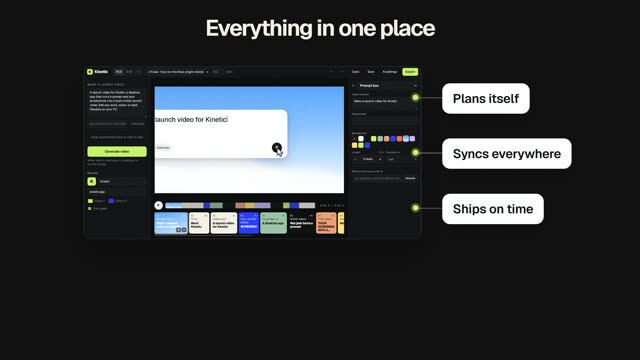
SaaS launch
Problem, product, proof and a clear next step.
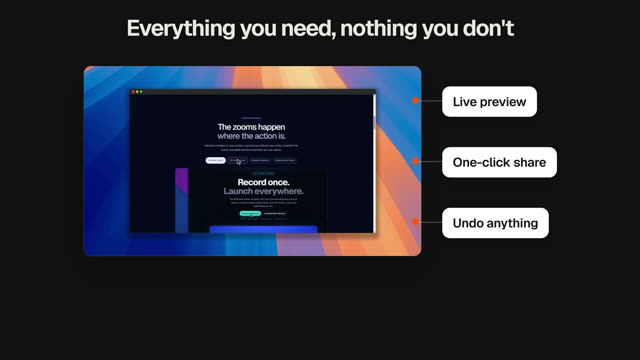
Product demo
Real UI close-ups, step by step.
Nine-beat launch
Nine fast beats, one idea each, on a Swiss grid.
Vertical launch cut
A 9:16 cut for Reels, Shorts and TikTok.
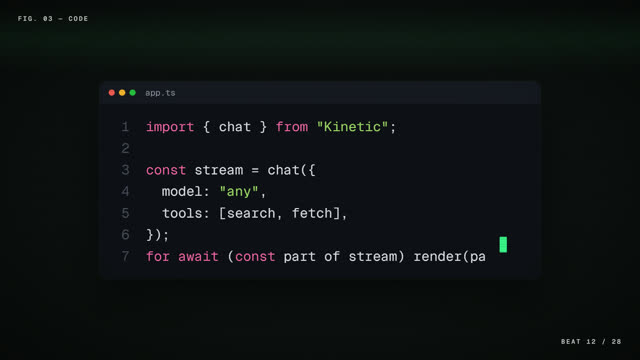
Developer tool launch
Terminal type, commands and a release note.
Waitlist trailer
A teaser that ends on the signup.
Questions
How do I make a product launch video for free?
Open Kinetic in your browser, describe the product or paste its URL, add screenshots and export. Your first 2 AI films are free, no card.
How long should a product launch video be?
15 to 30 seconds for social posts and your homepage, up to 60 seconds for a Product Hunt gallery.
Do I need a motion designer?
No. Kinetic designs the motion for you; you edit the words and screenshots.
Does Kinetic work on a Mac?
Yes. Kinetic runs in the browser on Mac, Windows, Linux and ChromeOS. Use Chrome, Edge or Safari 16.4 or newer.
Is Kinetic free?
You can make and edit films for free, and your first 2 AI films are free, no card. Kinetic Pro is $1 a day ($24 every 24 days) for unlimited AI films and clean exports, or less on the 3-month, 6-month and yearly plans. Cancel anytime.
Can I use the videos commercially?
Yes. The videos you export are yours, and the built-in music is synthesised in the app, so it is licence-free. Respect the rights of any images or logos you import.
Related guides
Make yours this afternoon.
Open Kinetic in your browser, describe what you're launching, and edit the film it writes. Runs in Chrome, Edge and Safari on Mac, Windows, Linux and ChromeOS. Free trial: 2 AI films, 2 rewrites and 3 watermarked exports, no card. Pro is $1 a day ($24 every 24 days), down to $0.61 a day on the yearly plan; cancel anytime. Hosted AI is subject to service limits; see pricing. Compare plans.