Kinetic / Guides / Screenshots to video
Turn screenshots into an animated product video.
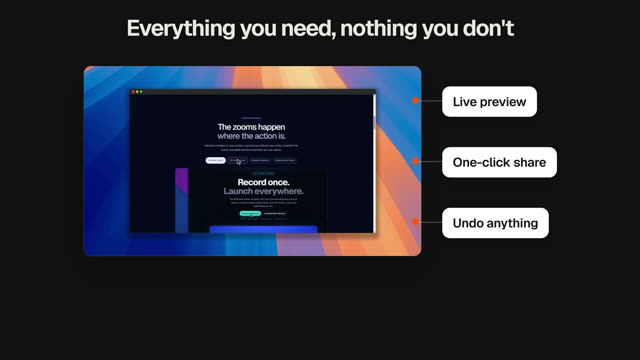
You already have screenshots. Kinetic puts them in phone, laptop and browser frames, zooms into what matters, writes a caption for each and cuts it all to music, so a folder of PNGs becomes a launch video.
Runs in Chrome, Edge and Safari on Mac, Windows, Linux and ChromeOS. Free trial: 2 AI films, 2 rewrites and 3 watermarked exports, no card. Pro is $1 a day ($24 every 24 days), down to $0.61 a day on the yearly plan; cancel anytime. Hosted AI is subject to service limits; see pricing.
What happens to your screenshots
- Framed: in a phone, laptop or browser frame, including 3D devices.
- Animated: slides, zooms and close-ups on the element that matters.
- Captioned: a short line per screen, written for you and editable.
- Timed: every cut lands on the beat of licence-free music.
How to do it
- Open Kinetic at kinetic.launchloop.tech/app and sign in with Google. Nothing to install.
- Describe what you're launching in a sentence or two, or paste your site's URL so Kinetic picks up the name, colours and copy.
- Add screenshots of the product. Kinetic places them in phone, laptop or browser frames and animates them.
- Edit like a document. Change any word, colour, scene or beat; the scene re-times itself to the music.
- Export MP4 in 16:9, 9:16 or 1:1. Rendering happens on your own computer, so nothing waits in a server queue.
Screenshot tips
- Use crisp, full-resolution captures (2x on Mac, 100% zoom on Windows).
- Close pop-ups and fill the screen with realistic data.
- Pick 3 to 6 screens that tell the story in order.
- Phone screenshots work best in 9:16; desktop ones in 16:9.
Screenshots or a screen recording?
Screenshots give a tight, steady film with only the moments that sell. A recording shows real usage but includes the slow parts. For a walkthrough, use a recorder; see Screen Studio and Kinetic.
Templates to start from
Every template opens in the editor with its words, colours, music and screenshots ready to change. See all 44 templates.
Questions
Can I make a video from screenshots for free?
Yes. Kinetic is free to start in your browser: 2 AI films, no card. Free exports carry a small watermark.
Can I use phone screenshots?
Yes. Kinetic frames them in a phone and works well in vertical 9:16 for Reels, Shorts and TikTok.
Does Kinetic work on a Mac?
Yes. Kinetic runs in the browser on Mac, Windows, Linux and ChromeOS. Use Chrome, Edge or Safari 16.4 or newer.
Is Kinetic free?
You can make and edit films for free, and your first 2 AI films are free, no card. Kinetic Pro is $1 a day ($24 every 24 days) for unlimited AI films and clean exports, or less on the 3-month, 6-month and yearly plans. Cancel anytime.
Can I use the videos commercially?
Yes. The videos you export are yours, and the built-in music is synthesised in the app, so it is licence-free. Respect the rights of any images or logos you import.
Related guides
Make yours this afternoon.
Open Kinetic in your browser, describe what you're launching, and edit the film it writes. Runs in Chrome, Edge and Safari on Mac, Windows, Linux and ChromeOS. Free trial: 2 AI films, 2 rewrites and 3 watermarked exports, no card. Pro is $1 a day ($24 every 24 days), down to $0.61 a day on the yearly plan; cancel anytime. Hosted AI is subject to service limits; see pricing. Compare plans.