Kinetic / Guides / Best launch video makers
The best launch video makers, compared honestly.
There's no single best tool; it depends on your skills, budget and how much control you need. Here's where each one fits for a product launch video. (Kinetic is our product; we've tried to be fair to the others.)
Runs in Chrome, Edge and Safari on Mac, Windows, Linux and ChromeOS. Free trial: 3 exports, no card. Pro is one payment: $9 for the first 100 buyers, then $19.
Quick answer
- Fastest from nothing to a finished launch film: Kinetic (prompt in, editable motion film out, in the browser).
- Most creative control: Adobe After Effects.
- Video as code for developers: Remotion, or HyperFrames for HTML-based compositions driven by AI agents.
- General social design with some video: Canva.
- Polished screen recordings on Mac: Screen Studio.
- Browser-based motion design with manual control: Jitter.
1. Kinetic
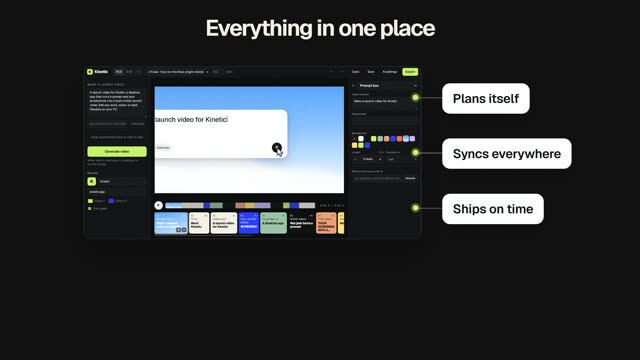
Kinetic writes, animates and scores a launch film from a prompt, using your screenshots. You edit words, colours and scenes like a document; every scene re-times to the music. Runs in the browser on Mac, Windows and Linux, renders locally. Free trial with 3 exports; Pro is a one-time payment. Best for: founders who want a motion-designed launch video today without learning motion design.
2. Adobe After Effects
The industry standard for motion graphics and compositing, with full keyframe control. Powerful, but it takes time to learn and to animate each project. Best for: motion designers and teams that need custom animation. Kinetic vs After Effects.
3. Remotion
An open-source framework for making videos with React code. Very flexible for developers and data-driven videos; you build and maintain the compositions yourself. Best for: developers who want videos as code. Kinetic vs Remotion.
4. HyperFrames
An open-source framework from HeyGen that renders HTML compositions to video, popular with AI coding agents. Flexible, but you set up the project and prompt or code each film. Best for: developers working with agents. Kinetic vs HyperFrames.
5. Canva
A broad design tool with video templates, stock media and simple animation. Great for teams that already design everything in Canva; motion is simpler than a dedicated motion tool. Best for: general social content. Kinetic vs Canva.
6. Screen Studio
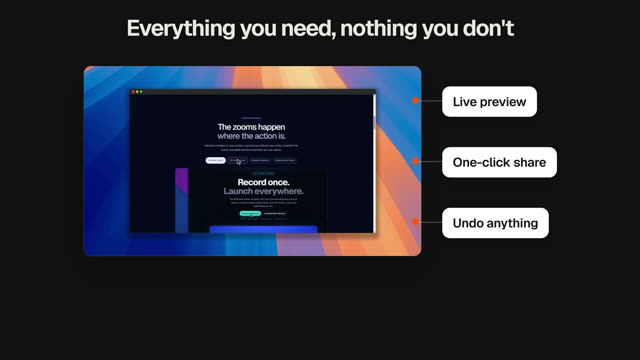
A Mac app that turns screen recordings into polished demos with automatic zooms. It records real usage rather than generating motion graphics. Best for: walkthrough demos. Screen Studio and Kinetic.
7. Jitter
A browser-based motion design tool for animating UI and graphics with a timeline. More manual control than Kinetic, less than After Effects. Best for: designers animating UI.
How to choose
If you have a motion designer, use their tool. If you're a developer who enjoys code, try Remotion or HyperFrames. If you need a launch film this week and would rather edit text than keyframes, try Kinetic free.
Kinetic templates for launch videos
Every template opens in the editor with its words, colours, music and screenshots ready to change. See all 40 templates.
Questions
What is the easiest launch video maker?
For a motion-graphics launch film, Kinetic is designed to be the quickest: describe the product, add screenshots, and edit the film it writes.
What's the best free launch video maker?
Kinetic's free trial includes 3 exports. Remotion and HyperFrames are open source but need coding. Canva has a free plan with video templates.
Does Kinetic work on a Mac?
Yes. Kinetic runs in the browser on Mac, Windows, Linux and ChromeOS. Use Chrome, Edge or Safari 16.4 or newer. There is also a desktop app for Windows 10 and 11.
Is Kinetic free?
You can make and edit films for free, and the free trial includes 3 exports with no card. Kinetic Pro is one payment for unlimited exports: $9 for the first 100 buyers, then $19. No subscription.
Can I use the videos commercially?
Yes. The videos you export are yours, and the built-in music is synthesised in the app, so it is licence-free. Respect the rights of any images or logos you import.
Make yours this afternoon.
Open Kinetic in your browser, describe what you're launching, and edit the film it writes. Runs in Chrome, Edge and Safari on Mac, Windows, Linux and ChromeOS. Free trial: 3 exports, no card. Pro is one payment: $9 for the first 100 buyers, then $19. Compare plans.