Kinetic / Guides / Launch video on Mac
Launch videos on a Mac, right in Safari or Chrome.
Kinetic runs in your browser, so it works on any Mac with Safari 16.4 or newer, Chrome or Edge. The video is rendered on your Mac, not on a server, so exports start right away.
Runs in Chrome, Edge and Safari on Mac, Windows, Linux and ChromeOS. Free trial: 3 exports, no card. Pro is one payment: $9 for the first 100 buyers, then $19.
Why it's built for the browser
Kinetic started as a Windows app. The web version uses the browser's own video encoder (WebCodecs) to render frame by frame on your machine, which means Mac, Windows, Linux and ChromeOS users all get the same editor and the same output.
How to make a launch video on a Mac
- Open Kinetic at kinetic.launchloop.tech/app and sign in with Google. Nothing to install.
- Describe what you're launching in a sentence or two, or paste your site's URL so Kinetic picks up the name, colours and copy.
- Add screenshots of the product. Kinetic places them in phone, laptop or browser frames and animates them.
- Edit like a document. Change any word, colour, scene or beat; the scene re-times itself to the music.
- Export MP4 in 16:9, 9:16 or 1:1. Rendering happens on your own computer, so nothing waits in a server queue.
Compared with Mac video tools
Final Cut Pro and iMovie edit footage you already have. Screen recorders capture your screen. Kinetic does a different job: it creates a motion-graphics film from text and screenshots. Many founders use both, a screen recording for the detailed walkthrough and a Kinetic film for the launch post. See Screen Studio and Kinetic.
Templates to start from
Every template opens in the editor with its words, colours, music and screenshots ready to change. See all 40 templates.
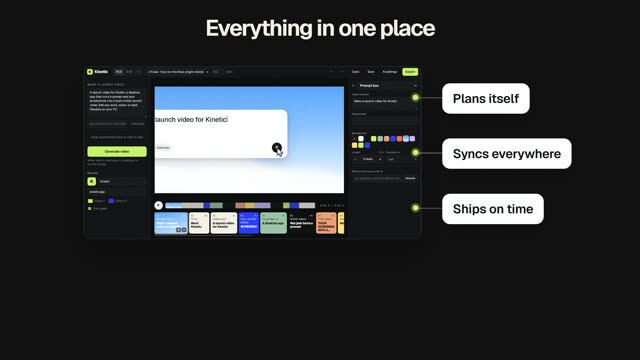
SaaS launch
Problem, product, proof and a clear next step.
Apple-style product film
Calm keynote pacing and one product hero.
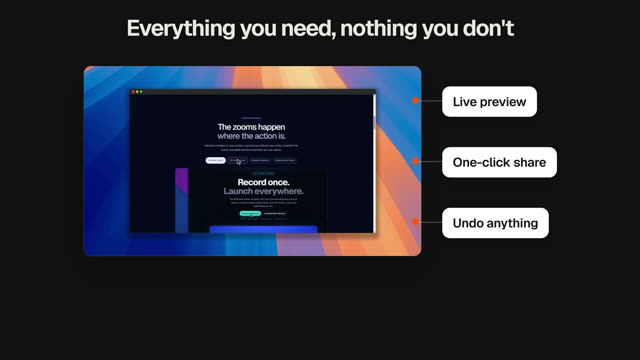
Product demo
Real UI close-ups, step by step.

Vertical launch cut
A 9:16 cut for Reels, Shorts and TikTok.

Keynote reveal
A slow, glassy reveal for a big release.

The $3,000 launch
Hook on the price you didn't pay, then the product.
Questions
Which Mac browsers work?
Safari 16.4 or newer, Chrome and Edge. Firefox works where its H.264 encoder is available.
Does it work on Apple silicon and Intel Macs?
Yes. It runs in the browser, so the chip doesn't matter; a faster Mac just exports sooner.
Does Kinetic work on a Mac?
Yes. Kinetic runs in the browser on Mac, Windows, Linux and ChromeOS. Use Chrome, Edge or Safari 16.4 or newer. There is also a desktop app for Windows 10 and 11.
Is Kinetic free?
You can make and edit films for free, and the free trial includes 3 exports with no card. Kinetic Pro is one payment for unlimited exports: $9 for the first 100 buyers, then $19. No subscription.
Can I use the videos commercially?
Yes. The videos you export are yours, and the built-in music is synthesised in the app, so it is licence-free. Respect the rights of any images or logos you import.
Make yours this afternoon.
Open Kinetic in your browser, describe what you're launching, and edit the film it writes. Runs in Chrome, Edge and Safari on Mac, Windows, Linux and ChromeOS. Free trial: 3 exports, no card. Pro is one payment: $9 for the first 100 buyers, then $19. Compare plans.