Kinetic / Guides / Best free launch video makers
The best free launch video makers.
Free plans differ a lot: some cap exports, some add a watermark, some are free but need you to code. Here's what each free option really gives you for a product launch video. (Kinetic is our product; we've tried to be fair to the others.)
Runs in Chrome, Edge and Safari on Mac, Windows, Linux and ChromeOS. Free trial: 2 AI films, 2 rewrites and 3 watermarked exports, no card. Pro is $1 a day ($24 every 24 days), down to $0.61 a day on the yearly plan; cancel anytime. Hosted AI is subject to service limits; see pricing.
Quick answer
- Free launch film written for you, from a prompt or URL: Kinetic (2 free AI films, no card, small watermark on free exports).
- Code-based tools with free licenses, no watermark: Remotion or HyperFrames, if you can code.
- Free general editors with templates: Canva or CapCut.
- Free URL-to-video with monthly export cap: Filmagic (3 exports a month at 720p).
1. Kinetic
Describe the product or paste its URL, add screenshots, and Kinetic writes, animates and scores the launch film. Free: 2 AI films and 2 AI rewrites, edit every word, export MP4 in 16:9, 9:16 or 1:1 with a small watermark. Pro removes the watermark, from $0.61 a day. Start free.
2. Canva
Free design tool with video templates and simple animation. Good if you already use Canva; you build the motion yourself. Kinetic vs Canva.
3. CapCut
Free video editor popular for social clips, with effects and trending templates. Best when you already have footage to cut.
4. Filmagic
Turns a product URL into a launch video. Its free plan lists 3 exports a month at 720p, with a watermark on non-free templates. Kinetic vs Filmagic.
5. Remotion
Framework for making videos with React code. Free for individuals and companies of up to three people under its Free License; larger teams need a Company License. You write and maintain the compositions. See Remotion licensing. Kinetic vs Remotion.
6. HyperFrames
Open-source framework from HeyGen that renders HTML to video, often driven by AI coding agents. Free, but you set up and prompt each project. Kinetic vs HyperFrames.
How to choose
If you want a finished launch film this afternoon without coding or animating, start with Kinetic's free AI films. If you prefer a code-based workflow, use Remotion or HyperFrames. If you already have footage, use a free editor.
Templates to start from
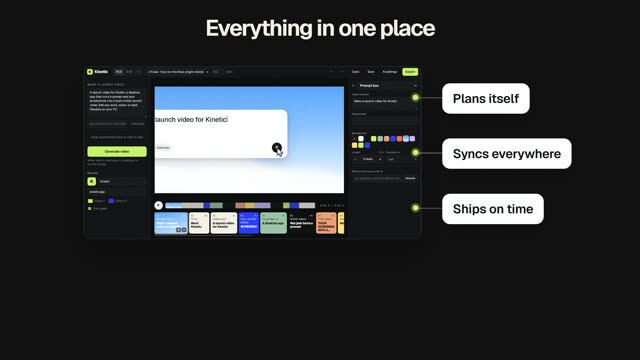
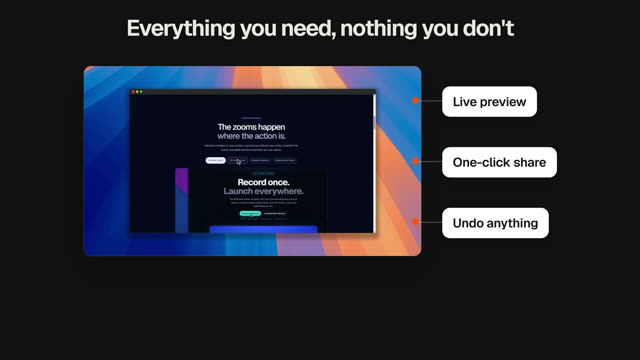
Every template opens in the editor with its words, colours, music and screenshots ready to change. See all 44 templates.

Questions
What is the best free launch video maker?
For a software launch with no editing skills, Kinetic: it writes and animates the whole film from a sentence or your URL, free to start with no card. If you code, Remotion has a Free License for individuals and companies of up to three people; HyperFrames is Apache-2.0 licensed. Check licensing and AI or render-provider costs for your setup.
Is there a free launch video maker with no watermark?
Code-based tools like Remotion and HyperFrames have no watermark. Kinetic's free exports carry a small watermark; Kinetic Pro removes it, from $0.61 a day.
Does Kinetic work on a Mac?
Yes. Kinetic runs in the browser on Mac, Windows, Linux and ChromeOS. Use Chrome, Edge or Safari 16.4 or newer.
Is Kinetic free?
You can make and edit films for free, and your first 2 AI films are free, no card. Kinetic Pro is $1 a day ($24 every 24 days) for unlimited AI films and clean exports, or less on the 3-month, 6-month and yearly plans. Cancel anytime.
Can I use the videos commercially?
Yes. The videos you export are yours, and the built-in music is synthesised in the app, so it is licence-free. Respect the rights of any images or logos you import.
Related guides
Make yours this afternoon.
Open Kinetic in your browser, describe what you're launching, and edit the film it writes. Runs in Chrome, Edge and Safari on Mac, Windows, Linux and ChromeOS. Free trial: 2 AI films, 2 rewrites and 3 watermarked exports, no card. Pro is $1 a day ($24 every 24 days), down to $0.61 a day on the yearly plan; cancel anytime. Hosted AI is subject to service limits; see pricing. Compare plans.