Kinetic / Guides / Best product demo video tools
The best tools for a product demo video.
A product demo can be a short motion film, a screen recording or an interactive click-through. Here's which tool makes which, so you pick the right one. (Kinetic is our product; we've tried to be fair to the others.)
Runs in Chrome, Edge and Safari on Mac, Windows, Linux and ChromeOS. Free trial: 2 AI films, 2 rewrites and 3 watermarked exports, no card. Pro is $1 a day ($24 every 24 days), down to $0.61 a day on the yearly plan; cancel anytime. Hosted AI is subject to service limits; see pricing.
Quick answer
- Short animated demo from screenshots, cut to music: Kinetic.
- Interactive click-through demo: Arcade or Supademo.
- Polished screen recording with zooms (Mac): Screen Studio.
- Hand-animated UI motion: Jitter.
- Simple template video: Canva.
1. Kinetic
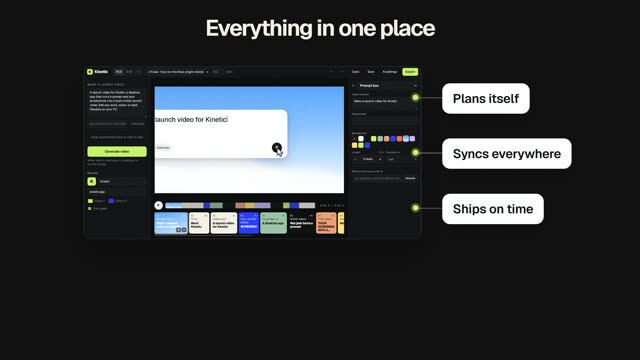
Turns screenshots and a sentence into an animated demo film: your screens in phone, laptop and browser frames, UI close-ups, kinetic type and music. Edit like a document; export MP4 in every shape. Best for: homepage and social demo films. Try it free.
2. Arcade
Builds interactive demos people click through, with video and GIF exports. Best for: self-serve walkthroughs. Kinetic vs Arcade.
3. Supademo
Clickable, self-guided walkthroughs for websites and onboarding, with an AI demo agent. Best for: guided onboarding demos.
4. Screen Studio
A Mac app that makes screen recordings look polished with automatic zooms. Best for: longer real-usage walkthroughs. Screen Studio and Kinetic.
5. Jitter
A browser motion design tool for animating UI layers on a timeline. Best for: designers who want full control. Kinetic vs Jitter.
6. Canva
General design tool with video templates. Best for: teams already designing in Canva. Kinetic vs Canva.
How to choose
For attention (social posts, homepage hero, Product Hunt), make a short motion demo in Kinetic. For conversion on your site, add an interactive demo. For docs, record the screen.
Templates to start from
Every template opens in the editor with its words, colours, music and screenshots ready to change. See all 44 templates.
Questions
What is the easiest way to make a product demo video?
Take a few screenshots, describe the product in a sentence, and let Kinetic write and animate the demo; then edit any word.
How long should a product demo video be?
For social and homepages, 15 to 60 seconds. Longer walkthroughs work better as recordings or interactive demos.
Does Kinetic work on a Mac?
Yes. Kinetic runs in the browser on Mac, Windows, Linux and ChromeOS. Use Chrome, Edge or Safari 16.4 or newer.
Is Kinetic free?
You can make and edit films for free, and your first 2 AI films are free, no card. Kinetic Pro is $1 a day ($24 every 24 days) for unlimited AI films and clean exports, or less on the 3-month, 6-month and yearly plans. Cancel anytime.
Can I use the videos commercially?
Yes. The videos you export are yours, and the built-in music is synthesised in the app, so it is licence-free. Respect the rights of any images or logos you import.
Related guides
Make yours this afternoon.
Open Kinetic in your browser, describe what you're launching, and edit the film it writes. Runs in Chrome, Edge and Safari on Mac, Windows, Linux and ChromeOS. Free trial: 2 AI films, 2 rewrites and 3 watermarked exports, no card. Pro is $1 a day ($24 every 24 days), down to $0.61 a day on the yearly plan; cancel anytime. Hosted AI is subject to service limits; see pricing. Compare plans.