Kinetic / Guides / Descript alternative
Kinetic vs Descript for launch videos.
Descript supports recording, transcript-based editing and AI media generation. For an existing video or podcast, you can edit by changing its transcript. Kinetic is for when there's nothing recorded yet: it writes a motion-graphics launch film from a sentence and your screenshots.
Runs in Chrome, Edge and Safari on Mac, Windows, Linux and ChromeOS. Free trial: 2 AI films, 2 rewrites and 3 watermarked exports, no card. Pro is $1 a day ($24 every 24 days), down to $0.61 a day on the yearly plan; cancel anytime. Hosted AI is subject to service limits; see pricing.
Where each fits
Use Descript for talking-head videos, podcasts, tutorials and screen recordings, where editing the transcript is the fastest way to cut. See Descript.
Use Kinetic for a short launch or feature film with kinetic type, animated product screens and music, and no camera or microphone.
Side by side
- Starting point: Descript supports recorded and AI-generated media, with transcript-based editing for recordings. Kinetic starts from a prompt or your URL and editable motion scenes.
- Editing: both feel like editing a document. In Descript you edit the transcript of what was said; in Kinetic you edit the words on screen, and the scene re-times to the music.
- Look: Kinetic's scenes are designed motion pieces: kinetic typography, device frames, 3D and cuts on the beat.
- Where it runs: Kinetic runs in your browser and renders on your own computer.
- Price: Kinetic is free to start (2 AI films, no card); Pro is $1 a day, or $0.61 a day on the yearly plan, with unlimited exports and no credits.
How to try Kinetic
- Open Kinetic at kinetic.launchloop.tech/app and sign in with Google. Nothing to install.
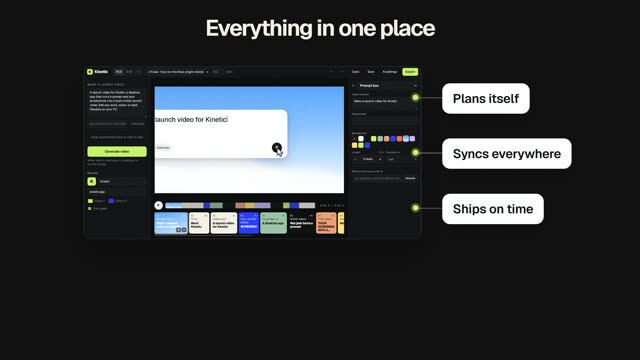
- Describe what you're launching in a sentence or two, or paste your site's URL so Kinetic picks up the name, colours and copy.
- Add screenshots of the product. Kinetic places them in phone, laptop or browser frames and animates them.
- Edit like a document. Change any word, colour, scene or beat; the scene re-times itself to the music.
- Export MP4 in 16:9, 9:16 or 1:1. Rendering happens on your own computer, so nothing waits in a server queue.
Templates to start from
Every template opens in the editor with its words, colours, music and screenshots ready to change. See all 44 templates.

Questions
Can I use both?
Yes. A common setup is a longer walkthrough recorded and edited in Descript, plus a 15 to 30 second Kinetic film for social posts and the homepage.
Can Kinetic edit my recording?
No. Kinetic animates screenshots and its own motion scenes; use an editor like Descript for recorded footage.
Does Kinetic work on a Mac?
Yes. Kinetic runs in the browser on Mac, Windows, Linux and ChromeOS. Use Chrome, Edge or Safari 16.4 or newer.
Is Kinetic free?
You can make and edit films for free, and your first 2 AI films are free, no card. Kinetic Pro is $1 a day ($24 every 24 days) for unlimited AI films and clean exports, or less on the 3-month, 6-month and yearly plans. Cancel anytime.
Can I use the videos commercially?
Yes. The videos you export are yours, and the built-in music is synthesised in the app, so it is licence-free. Respect the rights of any images or logos you import.
Related guides
Make yours this afternoon.
Open Kinetic in your browser, describe what you're launching, and edit the film it writes. Runs in Chrome, Edge and Safari on Mac, Windows, Linux and ChromeOS. Free trial: 2 AI films, 2 rewrites and 3 watermarked exports, no card. Pro is $1 a day ($24 every 24 days), down to $0.61 a day on the yearly plan; cancel anytime. Hosted AI is subject to service limits; see pricing. Compare plans.